Phones with Desktop Mode (UK 2026) – Turn Your Smartphone Into a Mini Workstation
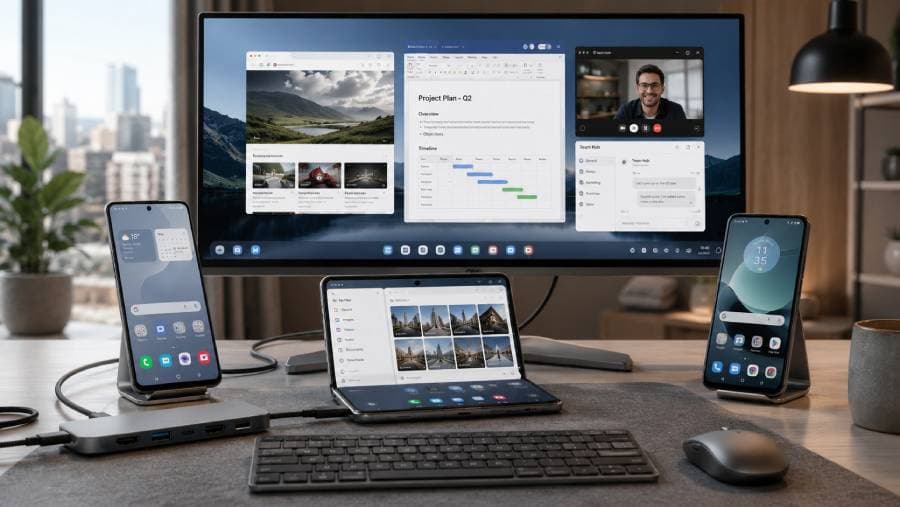
Reviewed for desktop-mode features, monitor support, multitasking, accessory compatibility & value – updated July 2026
🥇 Samsung Galaxy Z Fold7 – Best overall phone for a complete DeX workstation → Check price on Amazon UK
🥈 Google Pixel 10 Pro XL – Best clean Android desktop-mode phone → Check price on Amazon UK
🥉 Motorola Moto G86 5G – Best affordable Smart Connect phone for light desktop work → Check price on Amazon UK
👉 Scroll down to see full reviews and Amazon UK links
Introduction
This guide is for UK-based users who want a smartphone that can also function as a mini desktop PC when you plug in a monitor, keyboard and mouse. In 2026, phones like the Galaxy Z Fold7, Google Pixel 10 Pro XL and Moto G86 5G support desktop-style modes that let you run email, documents, web browsing and video calls on a larger screen. For example, Samsung’s DeX mode lets the Z Fold7 connect to a monitor or TV for a bigger, PC-like view and easier multitasking, and Google’s new Android Desktop Mode (via the 2026 Pixel update) lets Pixel owners plug into a display via USB-C for a full multi-window interface.
This is especially useful for students, travellers and remote workers who want to carry fewer devices and use Google Docs, Microsoft 365 or browser apps on a big screen. However, a phone in desktop mode is still more of a backup or light-work solution than a full laptop replacement. It relies on mobile or web apps, and requires the right accessories. Some phones need a USB-C to HDMI/DisplayPort adapter or dock to drive a monitor, while others (like Motorola’s Smart Connect) work via Miracast displays or a Windows PC link. Always remember that not all Android apps scale perfectly and that you’ll often be working with web-based or mobile versions of productivity apps. We’ve chosen these 2025–26 phones for their actual desktop-mode features and UK availability (all are sold new on Amazon UK), but be sure to verify the exact UK model, seller and features when you buy.
What makes a great desktop-mode phone in 2026
True desktop-style interface: Look for a phone that provides a proper desktop UI (taskbar/dock and multi-window apps) rather than just casting your phone screen. Samsung DeX and Android Desktop Mode create independent windows that can be resized, while basic screen mirroring (Miracast/Chromecast) only duplicates the phone view.
Wired display output: A USB-C port with DisplayPort Alt Mode is ideal so you can plug directly into a monitor with a single cable. Without it you may need a proprietary dock, or be limited to wireless casting.
Wireless display support: Having Miracast or Chromecast support gives a cable-free option. For example, Samsung’s DeX can cast wirelessly to any Miracast-enabled TV. (Note that wireless projection is often lower-resolution and can introduce lag.)
Keyboard & mouse compatibility: Full support for external input devices is essential. Most desktop modes support Bluetooth or USB keyboards and mice. Some modes (like DeX) even let you use the phone’s display as a touchpad for the cursor.
Resizable multitasking: The ability to run multiple apps side-by-side is key. Top phones handle several resizable windows (browsers, editors, chat apps, etc) at once. Productivity apps like Google Docs or Microsoft Word work best; many phone-only apps may not scale beyond fullscreen.
Performance & memory: Multitasking desktop modes can be resource-intensive. Choose a phone with a powerful CPU and plenty of RAM (8GB or more) for smooth performance. Flagship chipsets and 12–16GB RAM (as in the Z Fold7 and Pixel 10 Pro XL) will handle this better than mid-range hardware.
USB hubs & docking: Official or third-party docks can add extra USB ports, Ethernet or SD card slots. Check that the phone can use a USB-C hub or dock with power pass-through so it can charge while in use.
Battery life & heat: Extended desktop use can drain the battery quickly and generate heat. Phones with larger batteries (4,000mAh+) and efficient cooling are preferable for longer sessions. You may need to plug in the charger during a long desktop session.
Software support: Long-term software updates and stable desktop drivers are important. For example, Google and Samsung both promise many years of updates (the Pixel 10 Pro XL and Galaxy Z Fold7 each have about 7 years of support), which helps keep desktop mode working well.
Price & value: Desktop mode is often a higher-end feature, but consider your budget. A more affordable device (like the Moto G86 5G) can handle light desktop tasks for much less money – you just won’t get all the bells and whistles of the premium phones.
Top 3 Phones with Desktop Mode — UK 2026
1. Samsung Galaxy Z Fold7 – Best overall phone for a complete DeX workstation
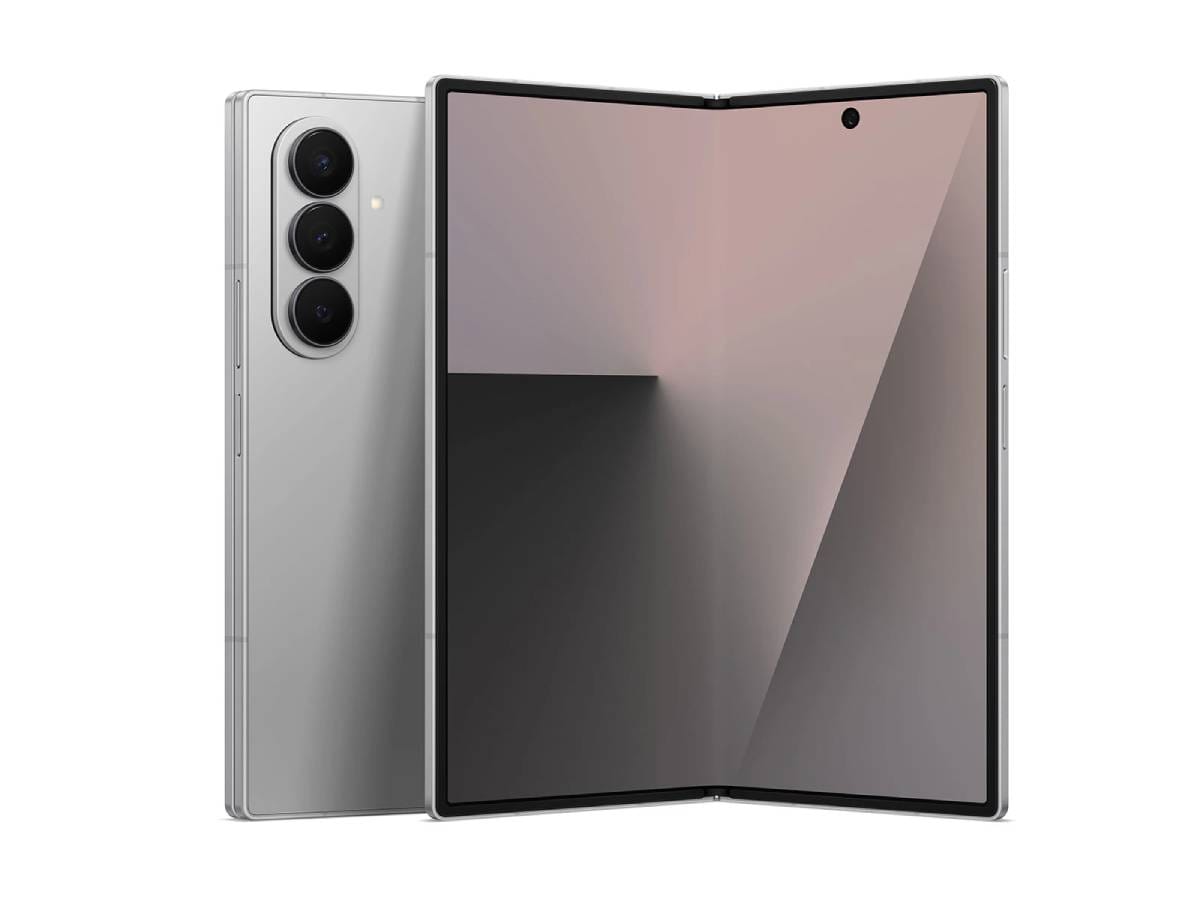
Samsung’s flagship foldable phone offers the most mature desktop experience. With an 8-inch internal screen and a flagship Snapdragon CPU, the Z Fold7 runs Samsung DeX smoothly. You can connect it to an external monitor via a USB-C DeX cable or HDMI adapter, or even mirror it wirelessly to a Miracast-compatible display. Once connected, apps appear in resizable windows on the big screen, and you can plug in a USB or Bluetooth keyboard and mouse. The Fold7’s phone display can even act as a touchpad for cursor control in DeX mode.
For file management, the built-in Files app doubles as a desktop file browser, and you can attach USB drives or network storage via a hub. The Z Fold7’s 12GB RAM and Snapdragon chipset keep multitasking snappy, even with multiple browser tabs and office apps running. The battery (~4,270mAh typical) will cover most workdays, but heavy DeX use does drain it, so you may want to charge it while working. Notably, Samsung promises long software support (7 years of security updates), so this phone will stay up to date. The trade-offs are clear: it’s very expensive, plus it’s heavier and larger than most phones, and some Android apps don’t scale perfectly. However, for dedicated desktop work, its combination of a large display and full DeX mode makes it unrivalled.
✅ Why this pick: The Z Fold7 gives the fullest desktop-like setup of any phone, with both wired and wireless DeX, multiple app windows, flagship performance and long software support.
Pros: High-end performance (Snapdragon, 12GB RAM); large foldable main screen; comprehensive Samsung DeX support (wired or wireless).
Cons: Very high price and a bulkier, heavier form factor.
Main standout feature: Its combination of an extra-large foldable screen and mature Samsung DeX mode makes it a powerful portable workstation.
Who it’s best for: Professionals, power users and frequent travellers who need a true mobile workstation and don’t mind the premium cost and size.
Amazon UK Check: 👉 Check price on Amazon UK.
The Galaxy Z Fold7 is a premium foldable, so expect a high price; look for any deals or bundles. Make sure the listing is for the UK model (with UK charger) and a reputable seller (for warranty). Remember you may need to buy a USB-C→HDMI/DP adapter or DeX cable separately, plus a keyboard and mouse if you don’t already have them. Stock and prices can fluctuate, so always confirm the current Amazon UK price and availability.
Check our website: for more details about Samsung Galaxy Z Fold7
2. Google Pixel 10 Pro XL – Best clean Android desktop-mode phone
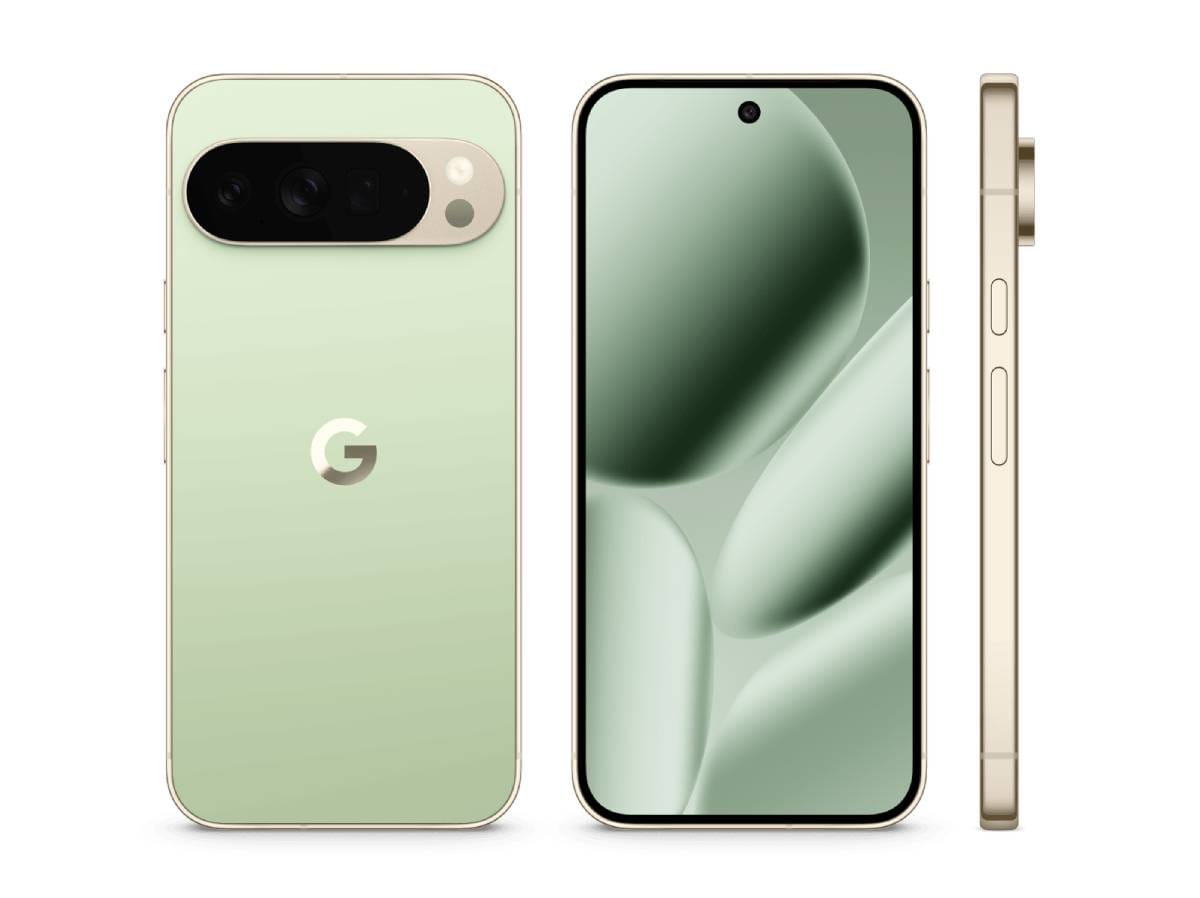
Google’s Pixel 10 Pro XL brings Google’s fresh Android Desktop Mode to a flagship phone. After the March 2026 update, the Pixel 10 Pro can plug into a monitor via its USB-C port (with DisplayPort Alt Mode) and launch a PC-like interface. The Google Tensor G5 chipset and 16GB RAM make it very capable for multitasking. In desktop mode, you get a taskbar and resizable windows for apps like Chrome, Gmail, Google Docs and Meet, and you can attach a Bluetooth or USB keyboard and mouse. The Pixel’s 6.8-inch screen is used only when not docked, and when docked you see the desktop interface on the monitor.
The Pixel 10 Pro also benefits from Google’s promised long support (around 7 years of updates). Its 4,870mAh battery and efficient hardware give good endurance. Unlike Samsung’s DeX, Google’s Desktop Mode is newer and simpler: it requires a wired connection (no wireless casting), and some features (like right-click menus or a full context menu) are still limited. Early reports suggest the desktop mode is a bit beta-ish, but it already offers multiple windows and keyboard/mouse support. Accessories: the Pixel does not include a USB-C video cable, so you’ll want a compatible hub or adapter for HDMI/DP. On the plus side, the Pixel’s clean Android UI and smooth performance make for a reliable, uncluttered desktop experience.
✅ Why this pick: The Pixel 10 Pro XL provides a pure Google/Android experience with the new Android Desktop Mode, plus very long software support.
Pros: Excellent performance (Tensor G5, 16GB RAM); official desktop mode with multi-window support; guaranteed updates for years.
Cons: Desktop mode is new and still developing; no wireless display option (USB-C only) and no video cable included.
Main standout feature: Its pure, up-to-date Android interface and Google app integration, combined with the new desktop mode, make it great for productivity.
Who it’s best for: Users who love stock Android and Google services and want to use web- and cloud-based work tools on a larger screen. Ideal for someone who values software longevity and a simple, clean system.
Amazon UK Check: 👉 Check price on Amazon UK.
The Pixel 10 Pro XL is a premium device, so compare its price to the Fold7. Ensure the UK (European) model is sold (for full band support). As with the Fold7, you’ll need to provide a USB-C to HDMI/DP adapter or hub and a keyboard/mouse. Double-check the Amazon UK listing details, including seller rating and the latest price, before buying.
Check our website: for more details about Google Pixel 10 Pro XL
3. Motorola Moto G86 5G – Best affordable Smart Connect phone for light desktop work
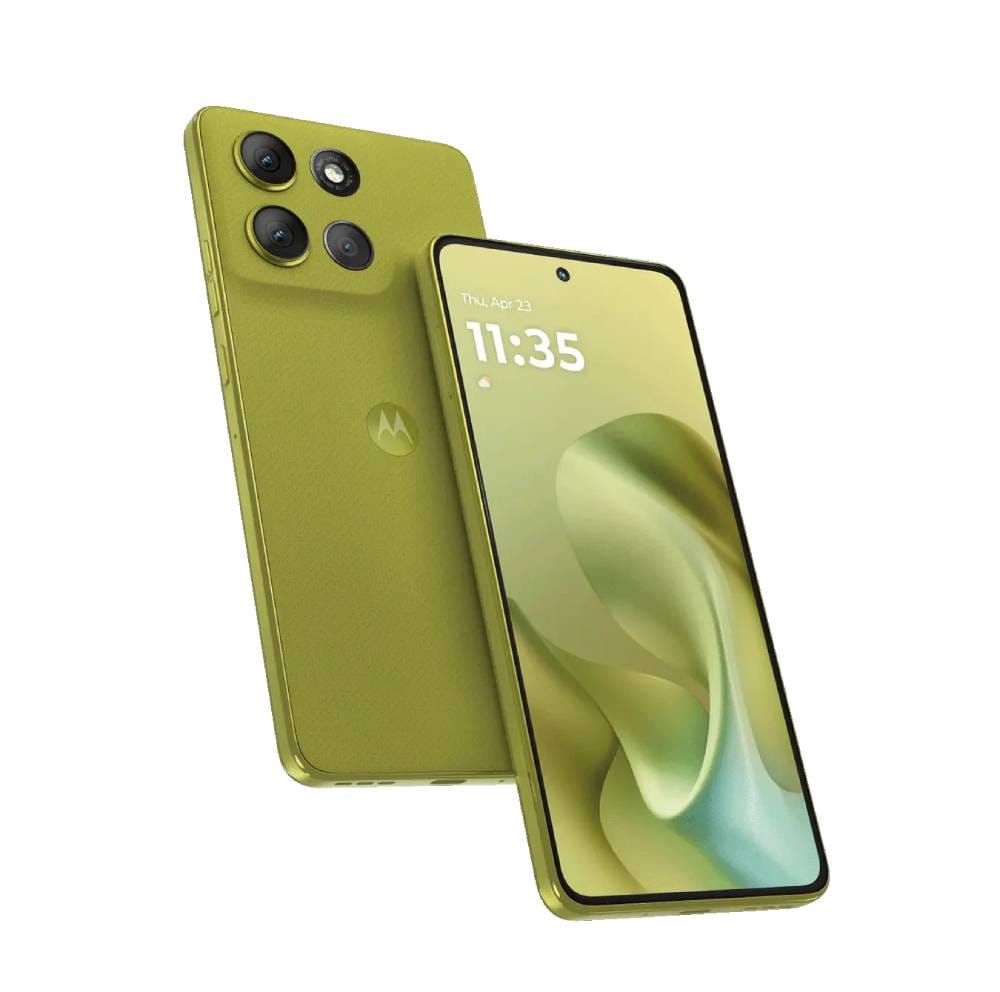
The Moto G86 5G is a mid-range phone that offers desktop-style connectivity at a budget price. It uses Motorola’s “Smart Connect” system, which does not provide a separate desktop UI. Instead, it can mirror or share the phone’s screen. Official info shows the G86 has no wired HDMI output (no DP Alt Mode). Wireless screen sharing works via Miracast (Smart Connect will cast to Miracast TVs). Alternatively, you can connect the phone to a Windows PC and use Motorola’s Smart Connect app to mirror or create a “virtual phone” window on your computer. This lets you use your PC’s mouse/keyboard with your phone apps (Motorola even has a “Cross Control” feature for that), but again it’s essentially the phone’s interface on the big screen.
The G86 has a 6.7-inch Full HD display, 12GB RAM and a 5200mAh battery. For basic tasks like emailing, document editing or presenting slides, it does the job. You can plug into a Smart Connect Windows PC to run a phone app in a resizable window, or use a Miracast TV for a wireless display (though latency can be an issue). It can’t run multiple apps at once on the external screen – you only see what’s on the phone. Performance is competent for everyday use but not flagship level. Overall, the G86 5G gives you an entry-level way to get desktop-like features without the high cost, at the expense of smoothness and advanced multitasking.
✅ Why this pick: The Moto G86 5G provides some desktop connectivity on a budget. It supports PC Smart Connect (with screen sharing) and Miracast mirroring, so you can use it for basic productivity tasks.
Pros: Very affordable; supports Smart Connect to a PC and Miracast displays; large 5200mAh battery for long use.
Cons: No true desktop UI and no direct HDMI output (wired output is not supported); limited to one app/window at a time.
Main standout feature: Its low price coupled with Motorola’s Smart Connect gives laptop-like features at a fraction of the cost.
Who it’s best for: Students or casual users on a tight budget who want a basic laptop backup for email, browsing, videos or simple presentations. It’s the entry-level choice if flagship prices are out of reach.
Amazon UK Check: 👉 Check price on Amazon UK.
The Moto G86 5G is sold as an affordable mid-range phone in the UK. Ensure the listing is the correct UK variant and from a trusted seller (for warranty). Remember this phone cannot output HDMI directly – you’ll need either a Windows PC with the Smart Connect app (or Motorola’s prepared environment) or a Miracast-compatible display. You may also want a Bluetooth keyboard/mouse. Check the current Amazon UK price and any deals, since this is a budget model and pricing can change.
Check our website: for more details about Motorola Moto G86
Comparison Table
|
|
Samsung Galaxy Z Fold7 |
Google Pixel 10 Pro XL |
Motorola Moto G86 5G |
|
Best for |
Flagship
foldable users; professionals |
Google/Android
purists; long-term support |
Budget
buyers; students |
|
Desktop platform |
Samsung
DeX (Android desktop UI) |
Android
Desktop Mode (via USB-C) |
Motorola
Smart Connect (screen mirroring) |
|
Wired monitor output |
Yes
(USB-C with DP Alt Mode to HDMI/DP) |
Yes
(USB-C DP Alt Mode, needs adapter) |
No (no video out on USB-C) |
|
Wireless display support |
Yes
(Miracast-compatible TVs/monitors) |
Yes
(Wi-Fi casting/Chromecast) |
Yes
(Miracast only) |
|
Windows PC integration |
No
(DeX-on-PC not supported) |
No
(phone-only mode) |
Yes
(PC Smart Connect app) |
|
Keyboard support |
Yes
(Bluetooth/USB) |
Yes
(Bluetooth/USB) |
Yes
(Bluetooth or via PC) |
|
Mouse support |
Yes |
Yes |
Yes |
|
Touchpad mode |
Yes
(phone screen can become touchpad) |
No
(phone UI only) |
Yes
(mirror mode with PC cross-control) |
|
Resizable windows |
Yes
(multi-window in DeX) |
Yes
(multi-window Android desktop) |
No
(single phone screen only) |
|
Multi-window support |
Yes |
Yes |
No
(one app at a time) |
|
File management |
Yes
(Samsung file manager, USB-OTG support) |
Yes
(Android file manager, cloud apps) |
Basic
(phone’s file app only) |
|
USB-C video output |
Yes
(USB 3.2 Gen1, up to 4K) |
Yes
(USB 3.2 Gen2, up to 4K) |
No |
|
Required accessories |
USB-C→HDMI/DP
adapter or DeX cable; keyboard/mouse; USB hub for extra ports |
USB-C
hub or HDMI adapter; keyboard/mouse |
PC
with Smart Connect app or Miracast TV; keyboard/mouse |
|
Processor & RAM |
Snapdragon
8 Gen 3; 12GB |
Google
Tensor G5; 16GB |
MediaTek
Dimensity 7300; 12GB |
|
Storage |
256GB/512GB |
256GB/512GB/1TB |
256GB/512GB |
|
Battery |
4272
mAh |
4870
mAh |
5200
mAh |
|
Software support |
7
years security updates |
7
years security updates |
~3
years (midrange support) |
|
Best desktop strength |
Most
powerful and flexible DeX experience |
Clean
Android UI with full Google app support |
Affordable
entry to PC-like features |
|
Main limitation |
Very
expensive; heavy; some app scaling issues |
Desktop
mode still new; no wireless HDMI |
No
true desktop UI; reliant on PC/Miracast |
|
Typical UK buyer profile |
Business
users, techies wanting a mobile workstation |
Google-centric
users who do browser/docs work |
Students
or casual users on a budget |
Samsung Galaxy Z Fold7 → Check Price on Amazon UK
Google Pixel 10 Pro XL → Check Price on Amazon UK
Motorola Moto G86 5G → Check Price on Amazon UK
What to consider before buying a desktop-mode phone
Wired vs wireless display: Ensure the phone’s USB-C port supports video (DisplayPort Alt Mode) if you want a direct cable connection. If not, the only options are wireless (Miracast/Chromecast) or a PC-based link. For example, the Moto G86 5G requires a Miracast TV or a Windows PC for Smart Connect, whereas the Z Fold7 and Pixel can use a USB-C video adapter.
USB-C hubs and adapters: Most phones don’t include a video cable. You’ll likely need a USB-C to HDMI (or DP) adapter or a multi-port hub. Choose one with Power Delivery pass-through so you can charge the phone while using an external display.
Keyboard and mouse: Check that the phone supports your peripherals (USB via hub or Bluetooth). Nearly all Android desktop modes do. A wireless keyboard/mouse combo or Bluetooth set-up usually works best.
Monitor compatibility: Some monitors/TVs only support certain resolutions or modes. Verify your monitor can handle the output (many phones do up to 4K@60Hz over USB-C). Wireless casting solutions often cap at 1080p and can lag.
App compatibility: Desktop mode works best with productivity and web apps (Office 365, Google Workspace, web browsers). Many Android apps don’t scale well to large windows, so rely on web versions or mobile-optimized apps. Full desktop software (like professional video editors or CAD programs) won’t run natively – you’d need remote-desktop workarounds for those.
Battery & charging: A desktop session can drain battery quickly. In wired setups, use a hub with pass-through charging. Wireless setups (like Smart Connect) also consume power. During long use, you may need to plug in the charger.
File storage: Plan how to access files. Cloud storage (Drive, OneDrive, Dropbox) is easiest. Some phones allow USB-OTG drives via a hub, but compatibility varies.
Security: If using public Wi-Fi, follow best practices (VPN, two-factor auth, encrypted apps). Keep your phone’s OS up to date (both Pixel and Samsung promise years of security updates).
UK model & warranty: Buy from reputable UK sellers to ensure warranty coverage. Imported phones might lack local LTE bands or warranty service. Check that the listing specifically says “UK version” or “EU model.”
Amazon UK seller rating: On Amazon UK, prefer established sellers. A high rating reduces risk of getting an incompatible grey import. Read product Q&As or reviews to confirm the desktop features actually work as advertised.
Price fluctuations: Smartphone prices change often. Verify the current UK price on Amazon (the “Check price on Amazon UK” link) before deciding. Deals or stock issues can affect which choice is the best value at any time.
Frequently Asked Questions
Can a desktop-mode phone replace a laptop? Not really. These phones can handle everyday tasks (email, documents, web browsing, light photo editing) in a desktop-like way, but they run Android apps or browser tools. They generally cannot run full desktop applications (e.g. Adobe Photoshop, professional development IDEs) natively. Think of phone desktop mode as a handy backup or travel solution – it’s great for basic office work, presentations or remote desktop sessions, but not a full replacement for a true laptop.
What is the difference between desktop mode and screen mirroring? Desktop mode provides a special PC-like interface with multiple resizable windows and a taskbar. Screen mirroring simply replicates your phone’s screen on a monitor or TV. For example, Samsung DeX and Android Desktop Mode let you open apps in windows and use a cursor, whereas Miracast will just show whatever is on your phone’s screen (usually apps in full-screen). Desktop mode is better for productivity; mirroring is simpler but more limited.
Do I need a USB-C hub? If you want to connect multiple peripherals, then yes. A USB-C hub can add HDMI/DP output, USB ports, Ethernet, etc., plus power delivery. Some phones work with a single USB-C→HDMI adapter, but a hub gives more flexibility. Always check which type of adapter/hub your chosen phone actually supports.
Can I use Microsoft Office and Google Docs? Yes. In Android desktop mode you can use the Android versions of Office apps or Google’s productivity apps. These adapt to windowed mode so you can edit documents, spreadsheets and slides on a large screen. You can also use browser versions via Chrome (for example, docs.google.com or office.live.com). Remember, these are mobile or web apps, not full PC software, so features may differ from desktop Office suites.
Which of these three is best for most UK buyers? It depends on priorities. The Samsung Galaxy Z Fold7 is the most capable all-rounder if you want the fullest desktop experience (and don’t mind paying flagship prices). The Google Pixel 10 Pro XL is best for those who prefer a clean Android environment and guaranteed updates, with decent desktop features. The Motorola Moto G86 5G is best for budget-minded users who only need basic laptop-backup functionality. For a blend of power and polish, the Z Fold7 will suit professionals; the Pixel is great for Google ecosystem users; and the Moto G86 is the economical choice for light use.
Final Verdict
Samsung Galaxy Z Fold7 is the best overall option for buyers who want the most complete desktop-style experience, strong multitasking and Samsung DeX → Check price on Amazon UK
Google Pixel 10 Pro XL is the best clean Android option for Google users who want browser-based work, resizable windows and light productivity on a larger display → Check price on Amazon UK
Motorola Moto G86 5G is the best affordable option for students and light users who want Smart Connect features without paying flagship prices → Check price on Amazon UK
Still deciding?
If you'd like to dive deeper into the specs or see how these models compare side-by-side, check out:
- 📊 Compare these phones open the related page.
- 📱 See full product details for Samsung Galaxy Z Fold7
- 📱 See full product details for Google Pixel 10 Pro XL
- 📱 See full product details for Motorola Moto G86
We update our comparisons regularly to keep everything accurate, up to date, and UK-focused.